The NVIDIA Shield TV is the fastest Android TV box you can buy, with AI upscaling and Ethernet built in. For heavy IPTV users who want instant channel changes and huge playlists, it is the top choice.
This guide walks you through the setup step by step with pictures, the best apps to use, the settings that give the smoothest picture and quick fixes for common problems.
What You Need Before You Start
- Your Raccoon TV login: server address, username and password (Xtream Codes) or an M3U link, sent by WhatsApp or email.
- NVIDIA Shield connected to the internet (Wi-Fi or cable).
- A compatible IPTV app: TiviMate, OTT Navigator or Perfect Player.
No login yet? Request a 24-hour free trial – it takes a few minutes.
How to Set Up Raccoon TV on NVIDIA Shield
Step 1 – Install TiviMate
On the Shield, open Google Play, search for TiviMate and install it.
Step 2 – Add a playlist
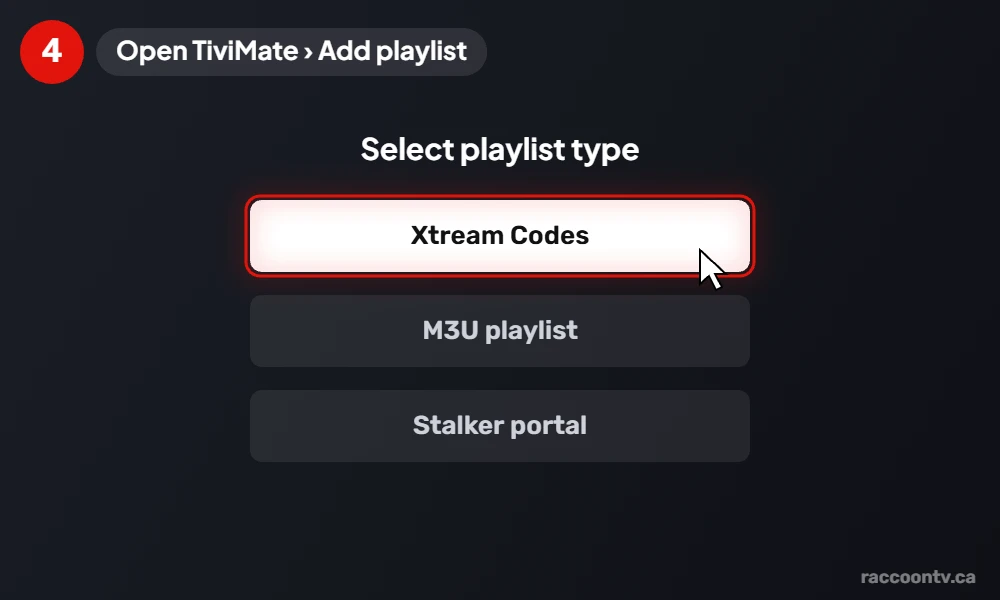
Open TiviMate and choose to add a playlist or user, then select Xtream Codes (or M3U if you prefer).
Step 3 – Enter your Raccoon TV login
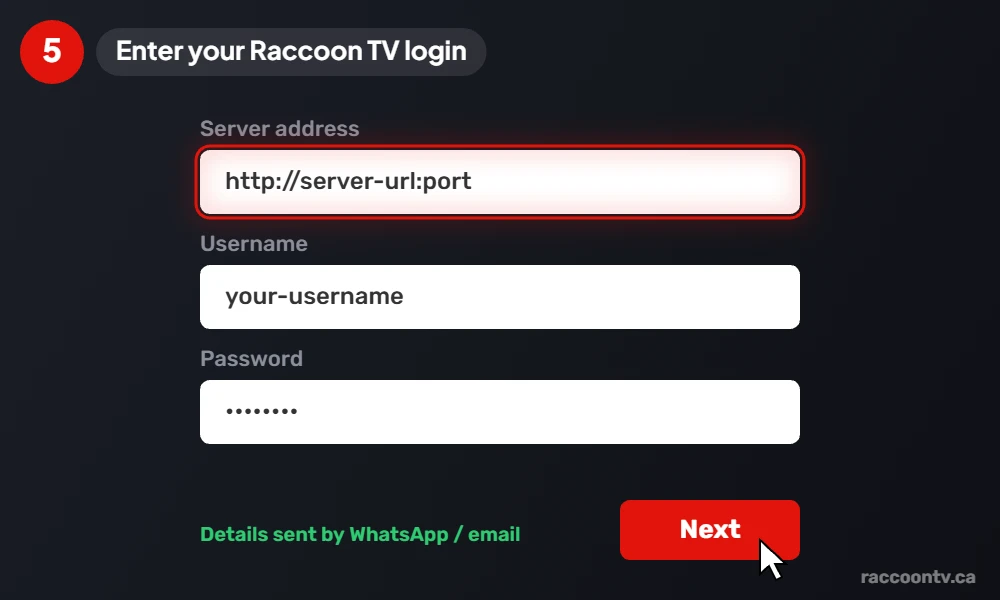
Type the server URL, username and password we sent you and confirm.
Step 4 – Load channels and watch
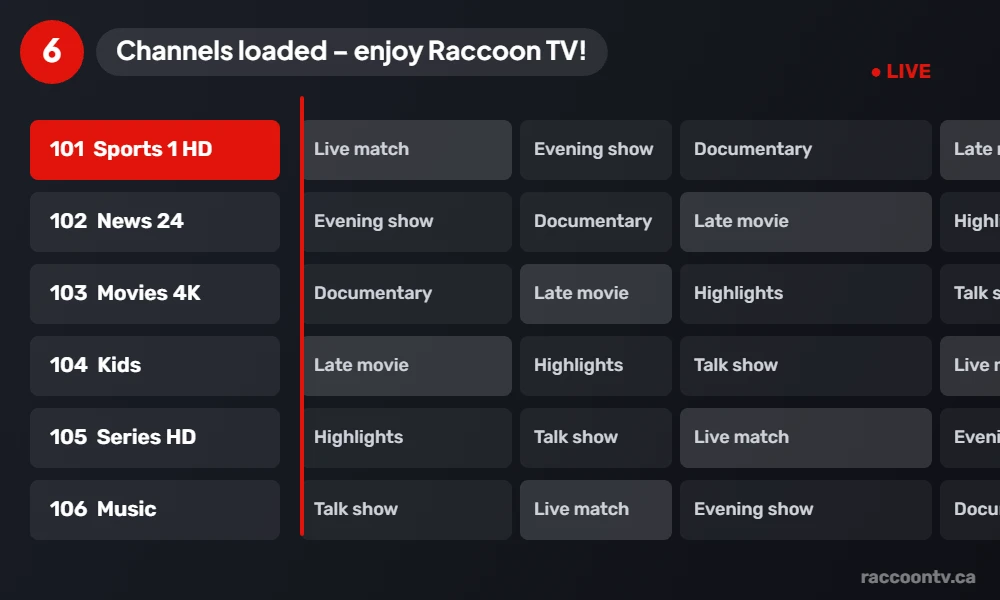
Wait a few seconds while channels, VOD and the TV guide load, then pick a channel.
Want help with your NVIDIA Shield? Our team guides you live on WhatsApp.
Get Setup HelpBest Apps for NVIDIA Shield
TiviMate shines on the Shield; OTT Navigator and Perfect Player are excellent free options.
Best Settings for a Smooth Picture
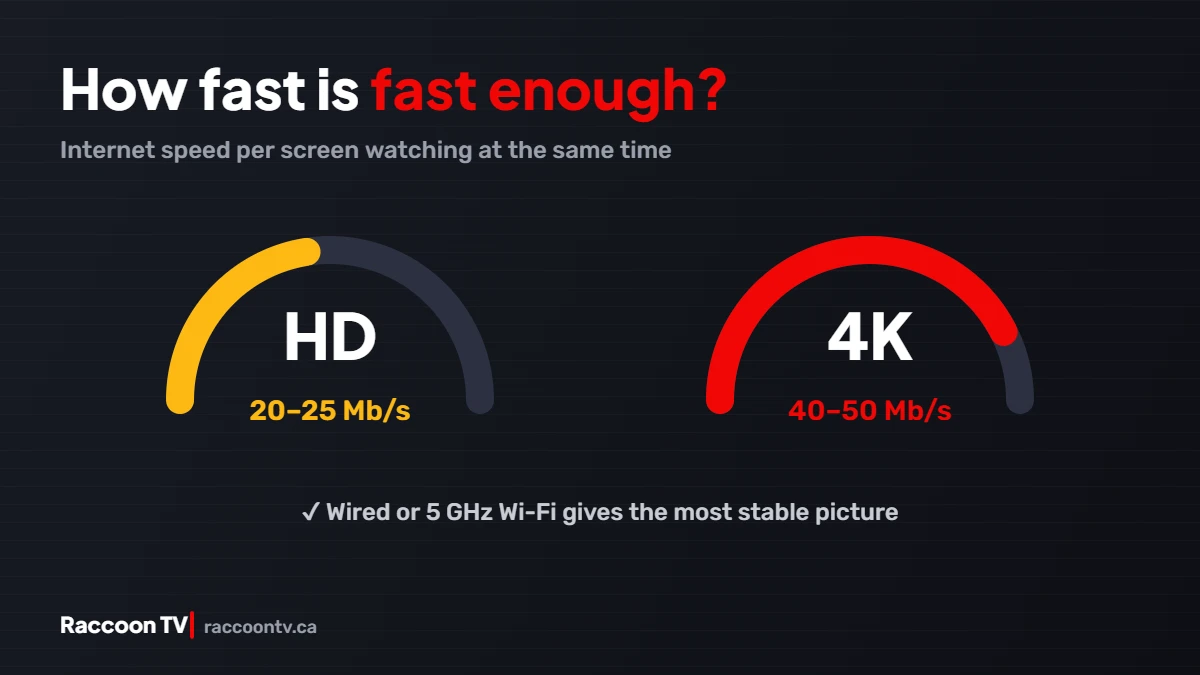
- Use Ethernet or 5 GHz Wi-Fi for the most stable picture.
- Count about 20–25 Mbps per HD screen and 40–50 Mbps per 4K screen.
- Update the EPG (TV guide) from the app settings once a day.
- Restart the device and router if you notice slowdowns.
- Turn on AI upscaling (Settings › Display & Sound) to sharpen HD channels on a 4K TV.
Troubleshooting
- Login failed: check the server, username and password (capital letters, spaces).
- Channels not loading: restart the app and refresh the playlist.
- Buffering: move closer to the router, switch to Ethernet or 5 GHz Wi-Fi and restart the device.
- Empty TV guide: update the EPG in the app settings.
Test Everything With a Free Trial
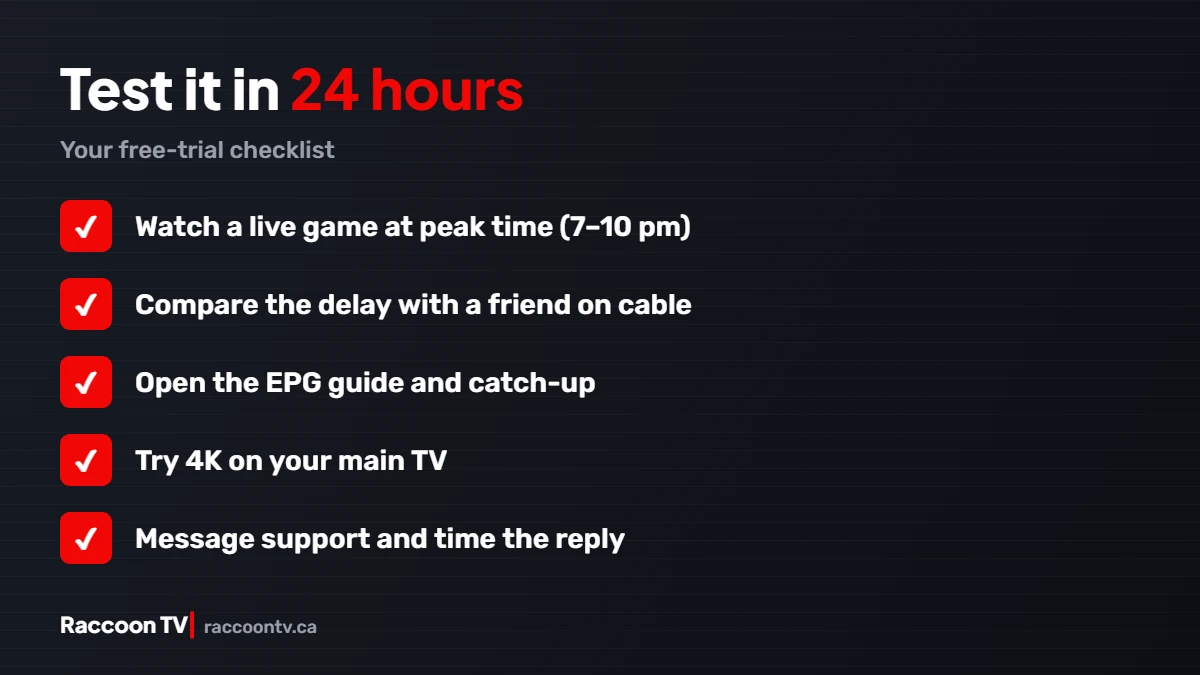
Install your app, then ask for a free 24-hour Raccoon TV trial. Watch a live game at peak time, try 4K and the TV guide, and pick a plan for 1 to 4 devices only if you are happy – with a 15-day money-back guarantee.
Ready to watch on your NVIDIA Shield? Start your free 24-hour trial now.
Get My Free TrialFrequently Asked Questions
Is the Shield worth it for IPTV?
If you watch a lot of live TV and want the smoothest experience, yes: it is the fastest Android TV device.
Shield Tube or Shield Pro?
Both work great; the Pro adds more storage and RAM for recording.
Is Raccoon TV the best IPTV for NVIDIA Shield in Canada?
Raccoon TV is built for Canadian viewers: 32,000+ channels, 4K, anti-freeze servers and 24/7 WhatsApp support in English and French – and you can test it free for 24 hours on your NVIDIA Shield.
How many devices can I use?
Choose a plan for 1, 2, 3 or 4 devices watching at the same time, from CA$27. Every plan has a 15-day money-back guarantee.
Final Thoughts
NVIDIA Shield, TiviMate and Raccoon TV is the dream setup for serious TV fans. More guides are on our blog and in the installation guide.